01
Upload a PDF or pick a template
Upload any PDF or start from a saved template. SignFlow finds the signature, date and detail fields on its own, and you just confirm them.
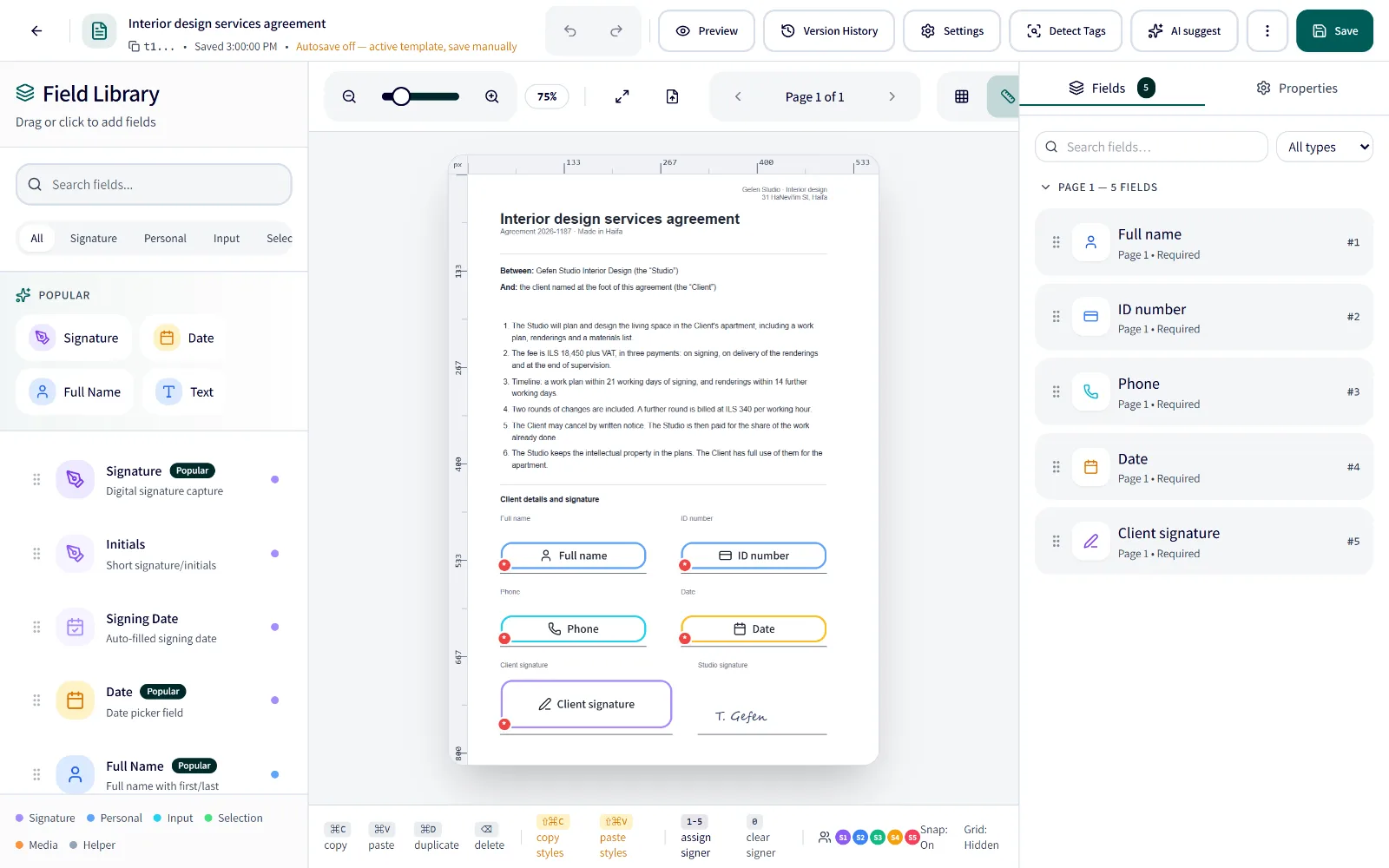
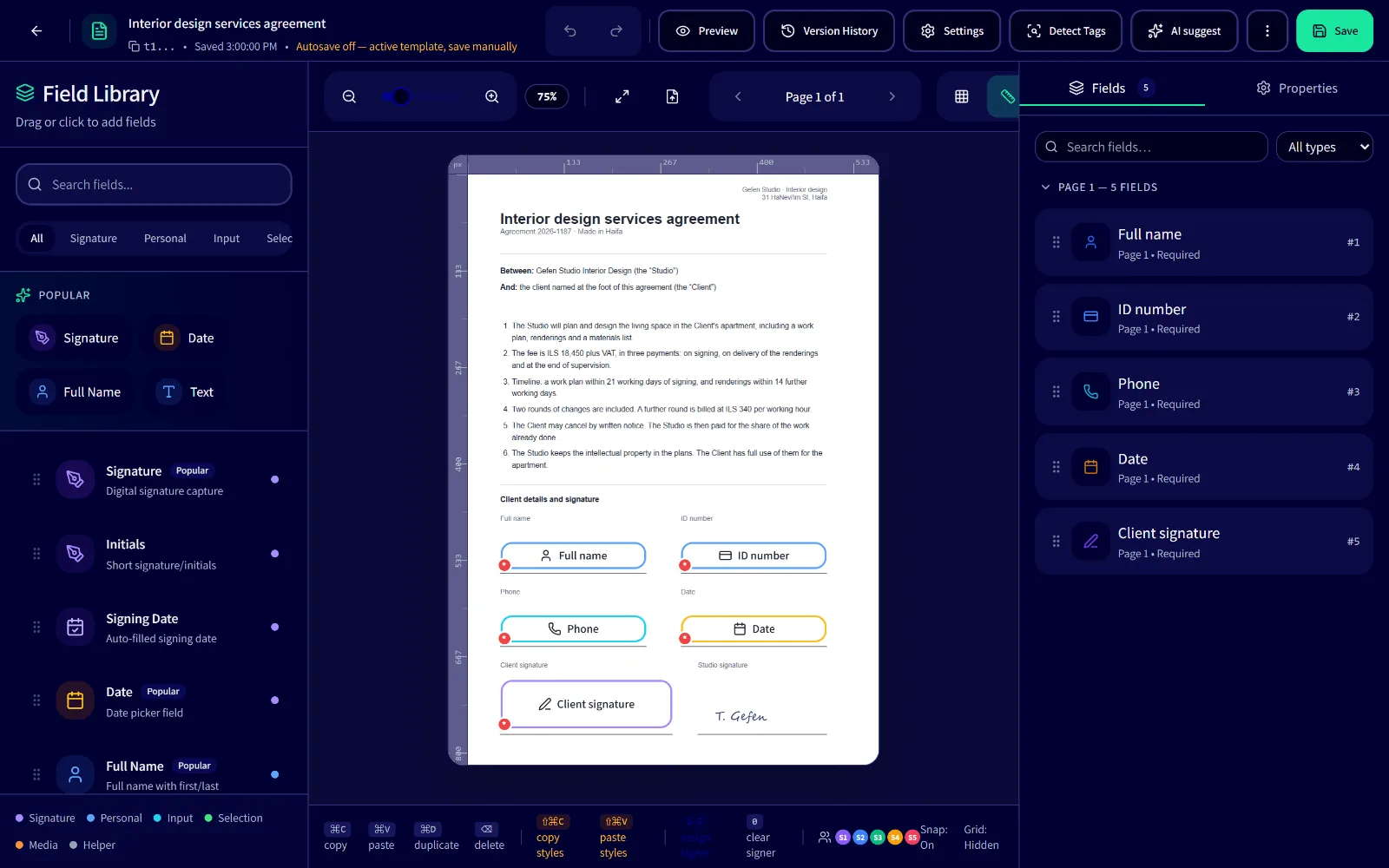


SignFlow is Hebrew-first e-signature software for Israeli businesses: upload a PDF, the fields are found for you, and clients sign on their phone in minutes.
Free with 10 credits a month · paid plans from ₪39 a month + VATNo credit card needed
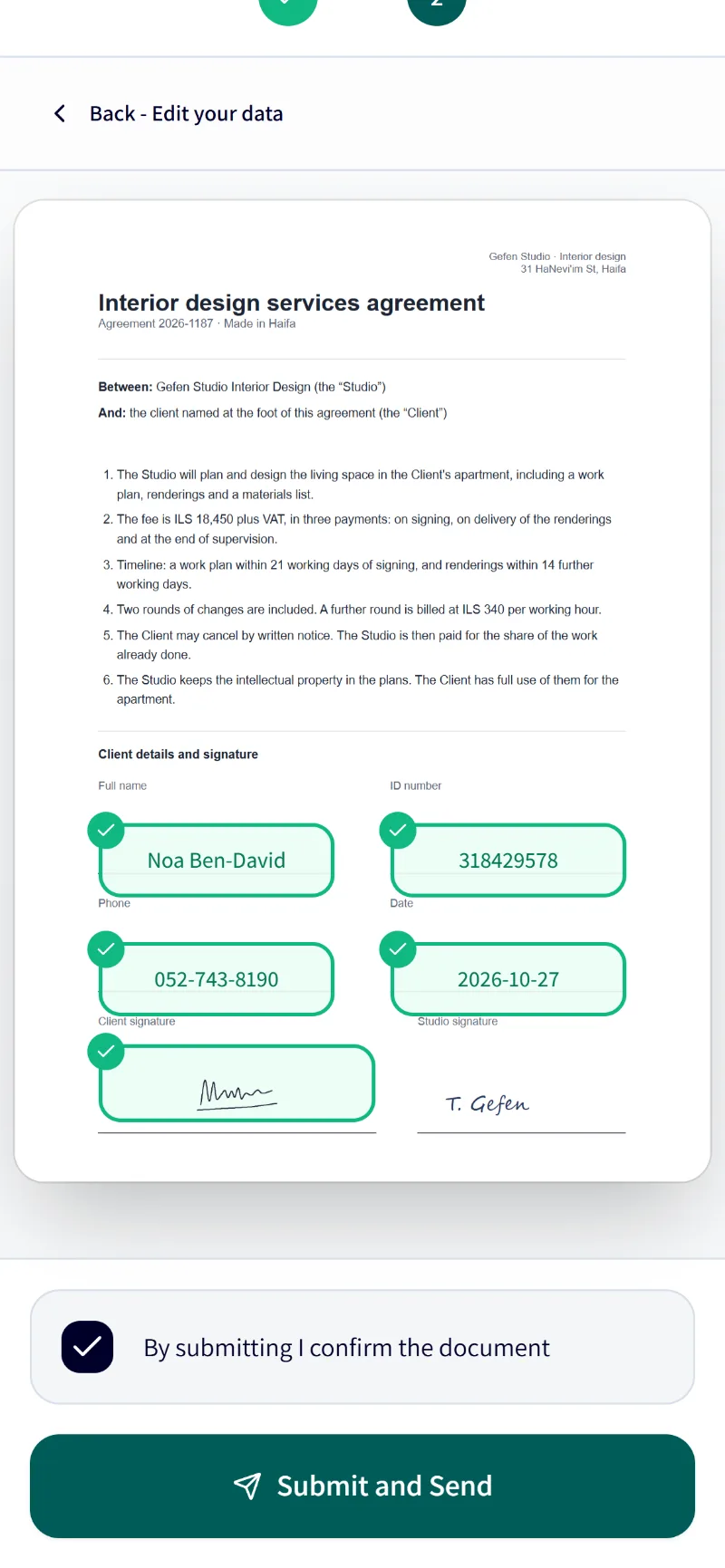


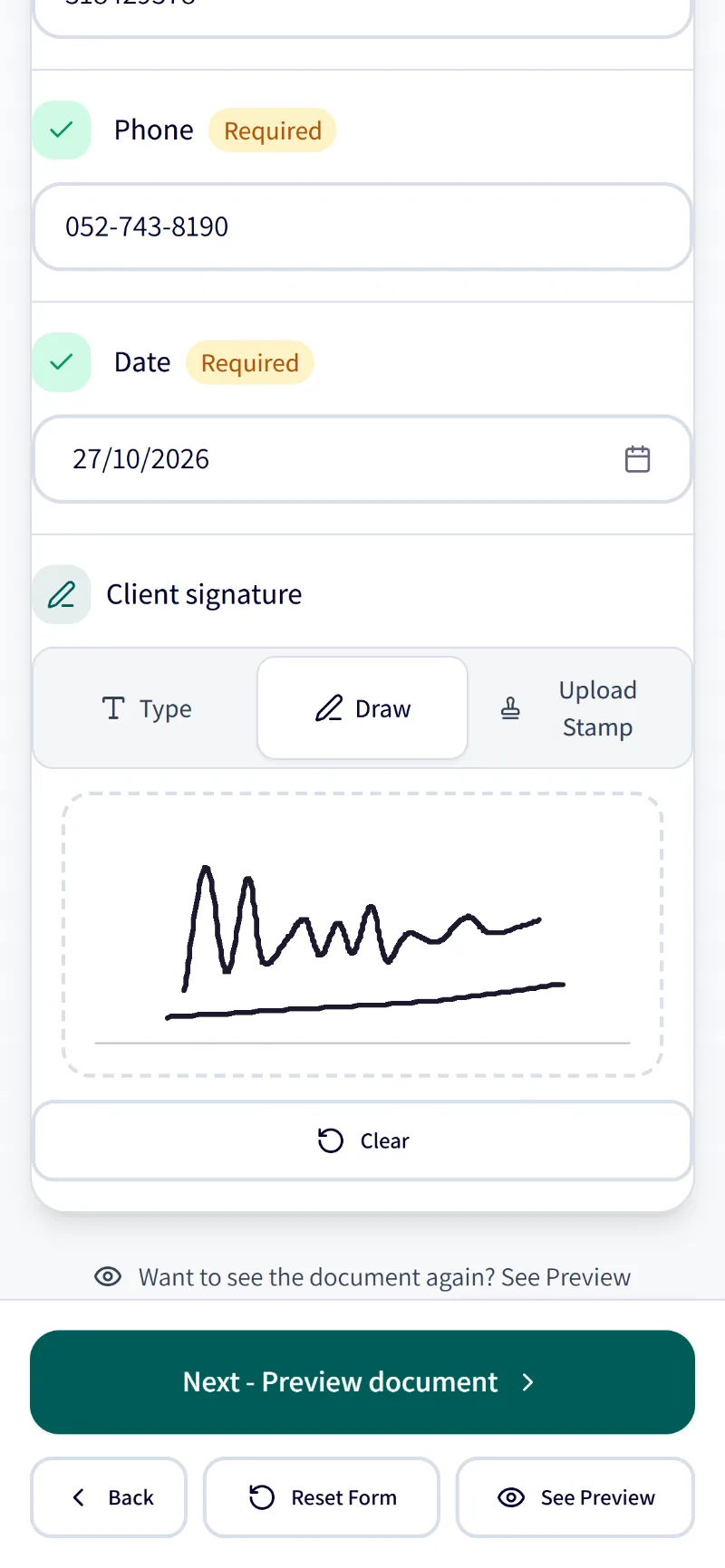
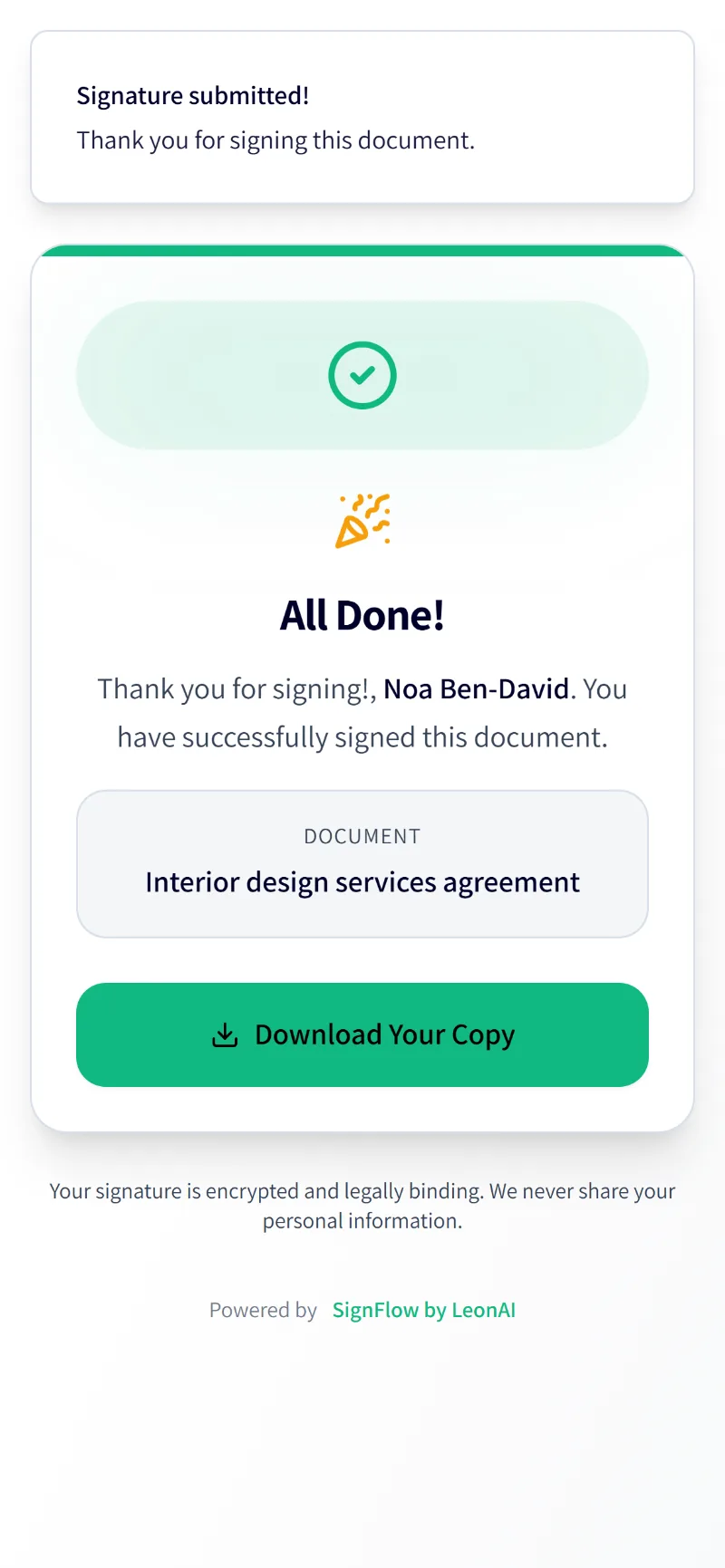
This is a sample agreement. Draw a signature with your finger or mouse — nothing is saved or sent.
Gefen Studio · Haifa
On a real document, SignFlow would now seal the PDF with a digital signature and a timestamp, and update your systems.
Every number here is counted from the product itself.
From the PDF you upload to the signed file, with no printing, no scanning and no chasing signatures.
Upload any PDF or start from a saved template. SignFlow finds the signature, date and detail fields on its own, and you just confirm them.
Add one signer or several, set the order and send. Each signer completes their part on any device, in Hebrew or English, with no account to create.
Once everyone has signed, the PDF is sealed with a digital signature and a timestamp, kept with its audit log, and sent on to your systems by webhook or API.
From the first draft to the signed file: one platform for your whole signing workflow.
Build a template once and reuse it for any document type — employment contracts, service agreements, and more.
SignFlow spots where a signature, a date and the signer's details belong, and places the fields for you, with no dragging each one by hand.
Sequential or independent signing for any number of signers, with per-signer fields and a mobile-friendly ceremony on any device.
Every signed PDF carries a digital signature and a timestamp. The log records who opened and who signed, when and from which IP address, and it can go into the file as an audit page.
 Google
 MicrosoftSAMLOIDC
Sign in with Google or Microsoft, SAML and OIDC single sign-on on Enterprise, and your own branding and signing domain.
 Make.com
 Priority ERPWWebhooksAPIREST API{ }OpenAPIMake.com Silver Partner
Connect SignFlow to your systems with a full API, real-time webhooks, and a native Make.com app.
From signature and initials to ID number, amount, attachments and choice lists — with validation, prefill, and fields that update from other fields.
The signer pays by card before submitting the document — through your own payment account.
The card number never passes through SignFlow: the signer types it in at the payment provider, and amounts are in shekels.
A ₪49/month add-on + VAT, Starter and up.
Build a visual flow: a new Priority record creates a document, sends it for signing, reminds the signer and attaches the signed file back — without a line of code.
On every plan, Free included: webhooks, the full API and a Make.com app with 15 modules. Priority ERP comes as an add-on, and 59 apps wait in Automations, by invitation now and opening to everyone soon.





























 Logos belong to their owners.
SignFlow finds where to sign and fill and suggests the fields — and the processing stays inside Cloudflare.
The SignFlow MCP server will let an AI agent send documents, track them and remind signers — with your permission.
418 operations in OpenAPI, scoped keys, and HMAC-signed webhooks with retries and your own headers.
Developer docs17 webhook events
submission.createdsubmission.sentsubmission.signedsubmission.completedsubmission.declinedsubmission.voidedsubmission.expiredsubmission.payment_completedsubmission.card_savedsubmission.payment_failedsigner.openedsigner.viewedsigner.signedsigner.declinedsigner.reminder_sentdocument.generateddocument.downloadedcurl https://signflow-api.leonai.io/api/v1/submissions \ -H "Authorization: $SIGNFLOW_API_KEY" \ -H "Content-Type: application/json" \ -d '{ "template_id": "Kq3vT8mYbW2pLx9nRf4Hd", "name": "Design agreement — Noa Ben-David", "signers": [ { "name": "Noa Ben-David", "email": "noa@example.com", "role": "signer1" } ], "fields_data": { "fee": "18450" } }'const res = await fetch("https://signflow-api.leonai.io/api/v1/submissions", { method: "POST", headers: { Authorization: process.env.SIGNFLOW_API_KEY, "Content-Type": "application/json", }, body: JSON.stringify({ template_id: "Kq3vT8mYbW2pLx9nRf4Hd", name: "Design agreement — Noa Ben-David", signers: [{ name: "Noa Ben-David", email: "noa@example.com", role: "signer1" }], fields_data: { fee: "18450" }, }), }); const { data } = await res.json(); console.log(data.signing_url);import os, requests res = requests.post( "https://signflow-api.leonai.io/api/v1/submissions", headers={"Authorization": os.environ["SIGNFLOW_API_KEY"]}, json={ "template_id": "Kq3vT8mYbW2pLx9nRf4Hd", "name": "Design agreement — Noa Ben-David", "signers": [{"name": "Noa Ben-David", "email": "noa@example.com", "role": "signer1"}], "fields_data": {"fee": "18450"}, }, ) print(res.json()["data"]["signing_url"])
Every document and every signature is protected from upload to signed file, by an ISO 27001-certified company.

Every action is recorded: viewed, signed, approved. The log can go into the PDF as an audit page, and the whole PDF is digitally signed.
Every signed document carries a PAdES digital signature with an RFC 3161 timestamp from DigiCert.
Each entry is hash-chained to the one before it, and the chain can be exported and verified.
An optional signing-ceremony password and one-time-code verification add an extra layer before a signer can open or complete a document.
Authenticator app, recovery codes and trusted devices — and your organization can require it.
Role-based permissions and organization-level access controls keep the right people in control of the right documents.
SignFlow runs on Cloudflare's edge network, with encryption in transit, files encrypted at rest, DDoS protection and a web application firewall.
How many years to keep each document, per template — 7 by default.
SignFlow is completing formal registration as a remote electronic-signature provider with the Israel Tax Authority.
Your own signing domain and email domain — included in Business, and a ₪49/month + VAT add-on on Starter and Pro.
And for agencies, a full resale platform: brand, domains, sign-in, signing certificate and client billing.
Talk to uscare@leonai.io
Pay only for documents you send and AI detections you run — no setup fees, cancel anytime. See exact plans and packs on the pricing page.
Need more? Enterprise is tailored with us. Talk to us care@leonai.io
See plansDidn't find your answer? Write to us, and we'll get back to you.
care@leonai.ioSignFlow is an e-signature platform in Hebrew and English from LeonAI, an Israeli company. Businesses upload a PDF, send it for signing on any phone, take card payments as people sign, and get back a digitally signed file with a timestamp. There is a free plan with 10 documents every month, and paid plans from ₪39 a month.
No. Signers get a link and sign from any device. They never spend credits — signing, viewing and downloading are always free.
Yes. The app, the signing ceremony and the documents work in Hebrew and English, right to left and left to right.
Yes. The signing ceremony is built for phones: draw with a finger, pinch to zoom, and fields that open from the bottom.
Yes. On every plan, Free included: webhooks, the full API and a Make.com app. Priority ERP comes as an add-on.
A credit is spent when you create and send a document for signing (1 credit) or run AI smart detect (1 credit). Signers never spend credits — signing, viewing and downloading are always free.
You can no longer create new documents until you top up or upgrade, but everything already sent keeps working — signing, reminders and downloads are never blocked.
Yes. Cancellation takes effect at the end of the paid period — you keep your plan until then, and your documents and data are never deleted.
All prices are in ILS and exclude VAT (18%). VAT is added at checkout, and a tax invoice/receipt is issued automatically for every charge.
Start free today. No credit card needed.
Start free